
Tag: Work From Home

  • Best Headphones and Headsets for Students, Online Classes and Office Work in India

    Best Headphones and Headsets for Students, Online Classes and Office Work in India

    A good pair of headphones or a headset can make online classes, office meetings, study sessions and remote work more comfortable and productive. Clear sound helps users understand conversations better, while a good microphone improves communication during calls and meetings.

    Students, professionals, trainers and work-from-home users may have different priorities when choosing headphones. Some may need portability, while others may prefer better microphone quality, comfort or noise reduction.

    In this guide, we will look at the important features to consider when choosing headphones or headsets in India.

    1. Headphones vs Headsets

    Headphones are mainly designed for listening, while headsets usually include a built-in microphone for calls and communication.

    For online classes, office meetings and remote work, a headset can be more convenient because the microphone is integrated into the device.

    If you already use a separate microphone, normal headphones may be sufficient.

    2. Wired vs Wireless

    Wired headphones provide a direct connection and do not require charging. They can be useful for long study or work sessions where battery life is not a concern.

    Wireless headphones reduce cable clutter and provide greater freedom of movement.

    Bluetooth models are convenient for laptops, smartphones and tablets, but users should consider battery life and connection stability.

    3. Microphone Quality

    Microphone quality is especially important for online classes, interviews, meetings and training sessions.

    A good microphone should capture speech clearly without excessive background noise.

    Some headsets include noise-reducing microphones designed to improve voice clarity in busy environments.

    Before buying, check recent user feedback about microphone performance because specifications alone may not reveal actual call quality.

    4. Comfort for Long Sessions

    Students and professionals may wear headphones for several hours each day.

    Comfort therefore becomes an important consideration.

    Look at ear-cup size, headband padding, weight and clamping pressure. Over-ear headphones may provide greater comfort for long sessions, while smaller on-ear models may be easier to carry.

    Comfort varies from person to person, so customer feedback can be useful.

    5. Sound Quality

    For online classes and office calls, clear speech reproduction is usually more important than powerful bass.

    For entertainment, music and videos, users may prefer a more balanced or detailed sound profile.

    Choose headphones according to how you plan to use them most frequently.

    6. Noise Isolation and Noise Cancellation

    Passive noise isolation reduces outside sound through the physical design of the ear cups.

    Active Noise Cancellation, often called ANC, uses electronic processing to reduce certain background noises.

    ANC can be useful during travel or in noisy environments, but it may increase the price and battery consumption.

    Students and office users working in relatively quiet rooms may not need active noise cancellation.

    7. Headsets for Online Classes

    Students attending online classes usually need clear audio, a reliable microphone and comfortable ear cushions.

    A lightweight wired or wireless headset can be suitable for regular classes, discussions and presentations.

    Students should also consider durability, affordability and compatibility with laptops and mobile devices.

    8. Headsets for Office Meetings

    Professionals who regularly attend online meetings may benefit from headsets designed for voice communication.

    A good microphone, comfortable fit and reliable connection become especially important.

    Mute controls and easily accessible volume buttons can also be useful during frequent meetings.

    9. Headphones for Work From Home

    Work-from-home users may need headphones for meetings, concentration and entertainment.

    Comfort becomes particularly important if the headphones are used for several hours each day.

    Wireless connectivity can provide greater freedom, while a strong microphone is useful for calls.

    10. Headphones for Trainers and Teachers

    Trainers and teachers may conduct long online sessions and interact with groups of participants.

    A comfortable headset with a clear microphone can improve communication.

    Wireless models may also allow trainers to move around while speaking, provided the connection remains stable.

    11. Battery Life

    Wireless headphones and headsets require regular charging.

    Consider how many hours you normally use them each day and choose a model with enough battery life for your routine.

    Fast charging can also be useful when the battery is low shortly before a meeting or class.

    12. Controls and Convenience

    Some headphones include physical buttons or touch controls for:

    • Volume
    • Play and pause
    • Answering calls
    • Muting the microphone
    • Switching between devices

    Convenient controls can reduce the need to operate the laptop or phone during meetings.

    13. Multi-Device Connectivity

    Some Bluetooth headphones can connect to more than one device.

    This can be useful for professionals who use both a laptop and smartphone during the day.

    Check whether the model supports multipoint connectivity if switching between devices is important to you.

    14. Build Quality and Portability

    Students and travellers may need headphones that can withstand frequent transport.

    Foldable designs and carrying cases can make larger headphones easier to carry.

    Check hinge quality, cable strength and overall construction before purchasing.

    What to Check Before Buying

    Before purchasing headphones or a headset, consider:

    • Wired or wireless connection
    • Microphone quality
    • Comfort
    • Sound clarity
    • Noise isolation
    • Active noise cancellation
    • Battery life
    • Bluetooth compatibility
    • Multi-device support
    • Controls
    • Build quality
    • Warranty
    • Recent customer reviews

    Choose features according to your main use rather than paying extra for features you may rarely use.

    Which Headphones or Headset Should You Choose?

    Students may prefer an affordable and lightweight headset with a reliable microphone.

    Office users may benefit from comfortable headphones with good microphone quality and convenient call controls.

    Work-from-home users may prefer wireless headphones with long battery life.

    Travellers or users working in noisy environments may consider active noise cancellation if it fits their budget.

    Conclusion

    The right headphones or headset can improve communication, concentration and comfort during online classes, meetings and remote work.

    Before purchasing, compare microphone quality, comfort, connectivity, battery life, warranty information and recent customer reviews. A reliable and comfortable model that matches your daily needs is usually more valuable than paying for features you do not use.

    Affiliate Disclosure: Some links in this article may be affiliate links. If you make a qualifying purchase through these links, Chrisolas Solutions may earn a commission at no additional cost to you. As an Amazon Associate, Chrisolas Solutions earns from qualifying purchases.


  • Best External Keyboards for Students and Office Work in India

    Best External Keyboards for Students and Office Work in India

    An external keyboard can make long typing sessions more comfortable and productive. It is especially useful when a laptop is placed on a stand, when you work with documents for several hours, or when you need a full-size keyboard with additional keys.

    Students, office workers, trainers and work-from-home users may all benefit from choosing a keyboard that matches their typing style and workspace.

    In this guide, we will look at the important features to consider when choosing an external keyboard in India.

    1. Wired vs Wireless Keyboards

    The first choice is whether you prefer a wired or wireless keyboard.

    Wired keyboards are simple, reliable and do not require battery charging or replacement. They are suitable for fixed desks and users who want a stable connection.

    Wireless keyboards reduce cable clutter and are easier to move around. They may connect through a USB receiver or Bluetooth.

    Choose the connection type based on your workspace, available ports and whether portability is important.

    2. Full-Size vs Compact Keyboards

    A full-size keyboard usually includes a numeric keypad and additional navigation keys. This can be useful for office users who regularly work with spreadsheets, accounting software or numerical data.

    Compact keyboards take up less desk space and are easier to carry. Students and travellers may prefer them because they fit more easily into a laptop bag.

    Consider whether you actually need a numeric keypad before choosing the size.

    3. Key Comfort and Typing Feel

    Typing comfort is important for users who spend long hours working on assignments, reports, emails or documents.

    Different keyboards can feel soft, firm, shallow or more responsive depending on the key design.

    If possible, choose a keyboard with comfortable key spacing and a layout that feels natural to you.

    Users who type frequently should prioritise comfort over appearance.

    4. Quiet Keyboards

    Quiet keyboards can be useful in libraries, classrooms, shared offices and home environments.

    Some keyboards are designed to reduce typing noise, which can make them more suitable for meetings and shared workspaces.

    If noise is important to you, check whether the manufacturer describes the keyboard as silent or low-noise and read recent customer reviews.

    5. Bluetooth Keyboards

    Bluetooth keyboards can connect without occupying a USB port.

    This is useful for laptops, tablets and mobile devices with limited ports.

    Some Bluetooth keyboards support multiple devices and allow users to switch between a laptop, tablet and smartphone.

    Before buying, check compatibility, pairing options and battery life.

    6. Keyboard for Students

    Students usually need a keyboard for assignments, research, coding, presentations and online classes.

    A compact and affordable keyboard may be enough for everyday study.

    Look for durability, comfortable keys, portability and compatibility with your laptop or tablet.

    Wireless models can be convenient if the keyboard needs to be carried between home, college and library.

    7. Keyboard for Office Work

    Office users may spend many hours typing emails, reports, spreadsheets and documents.

    For regular office work, a full-size keyboard with comfortable keys and a numeric keypad can be useful.

    Wireless connectivity, quiet keys and shortcut buttons may also improve convenience.

    8. Keyboard for Work From Home

    A work-from-home setup often benefits from a dedicated external keyboard, especially when using a laptop stand or external monitor.

    A full-size or ergonomic keyboard can help create a more comfortable desktop-style workspace.

    Consider desk size, typing hours, wireless connectivity and whether you regularly switch between devices.

    9. Ergonomic Keyboards

    Ergonomic keyboards are designed to support a more natural hand and wrist position.

    Some models use curved or split layouts, while others provide wrist support.

    These keyboards can take time to get used to, so they may not suit everyone.

    If you experience discomfort during long typing sessions, consider overall desk ergonomics, chair height and keyboard position as well.

    10. Battery Life

    Wireless keyboards may use replaceable batteries or rechargeable batteries.

    Long battery life reduces the need for frequent charging or battery replacement.

    Before buying, check the advertised battery life, charging method and whether the keyboard enters a power-saving mode when not in use.

    11. Shortcut and Function Keys

    Some keyboards include dedicated keys for volume control, media playback, calculator access and other common functions.

    These shortcuts can save time, especially during office work and presentations.

    However, additional buttons are not essential for every user. Focus first on typing comfort and reliability.

    12. Build Quality and Durability

    A good keyboard should remain stable on the desk and withstand regular typing.

    Check whether the keyboard has non-slip feet and whether the keys feel securely fitted.

    Students and travellers may also want a lightweight design that can handle frequent transport.

    What to Check Before Buying

    Before purchasing an external keyboard, consider:

    • Wired or wireless connection
    • USB receiver or Bluetooth
    • Full-size or compact layout
    • Numeric keypad
    • Key comfort
    • Noise level
    • Battery life
    • Shortcut keys
    • Device compatibility
    • Build quality
    • Warranty
    • Recent customer reviews

    Choose features based on your actual daily use rather than buying the keyboard with the largest number of features.

    Which Keyboard Should You Choose?

    Students may prefer a compact wireless keyboard that is easy to carry and affordable.

    Office users may benefit from a full-size keyboard with a numeric keypad and quiet keys.

    Work-from-home users may prefer a comfortable wireless or ergonomic keyboard for longer working sessions.

    The right keyboard is the one that fits your typing habits, desk space, device and budget.

    Conclusion

    An external keyboard can improve comfort and productivity for students, professionals and work-from-home users. The most important factors are typing comfort, size, connectivity, battery life and compatibility.

    Before purchasing, compare current specifications, warranty details, customer reviews and price. A reliable keyboard that feels comfortable to use is usually more valuable than unnecessary additional features.

    Affiliate Disclosure: Some links in this article may be affiliate links. If you make a qualifying purchase through these links, Chrisolas Solutions may earn a commission at no additional cost to you. As an Amazon Associate, Chrisolas Solutions earns from qualifying purchases.
  • Best Webcams for Online Classes, Meetings and Work From Home in India

    Best Webcams for Online Classes, Meetings and Work From Home in India

    A good webcam can improve video quality during online classes, office meetings, interviews, training sessions and remote work. While many laptops include built-in cameras, the quality may not always be sufficient for clear communication.

    An external webcam can provide better image quality, improved positioning and, in some cases, better microphones and low-light performance.

    In this guide, we will look at the main features to consider when choosing a webcam in India.

    1. Video Resolution

    Video resolution is one of the first features to check.

    For most online classes and office meetings, Full HD 1080p is usually sufficient. Lower-resolution webcams may still work for basic calls, while higher-resolution models may be useful for content creation or professional presentations.

    Keep in mind that video quality also depends on lighting, internet speed and the video conferencing platform being used.

    2. Frame Rate

    Frame rate affects how smooth the video appears.

    Many webcams support 30 frames per second, which is adequate for normal meetings and classes. Higher frame rates can make movement look smoother, but they may also require more bandwidth and processing power.

    For most students and office users, stable 1080p video at 30 fps is generally enough.

    3. Built-In Microphone

    Some webcams include one or more microphones.

    A built-in microphone can be convenient for basic calls, but microphone quality varies significantly between models.

    If clear voice communication is very important, an external headset or dedicated microphone may provide better results.

    Before buying, check whether the webcam microphone includes features such as noise reduction or stereo recording.

    4. Low-Light Performance

    Not everyone works in a brightly lit room.

    A webcam with good low-light performance can help maintain clearer video when lighting conditions are not ideal.

    Some webcams automatically adjust brightness and exposure based on the room.

    However, even a good webcam performs better with proper lighting. A simple desk lamp or natural light from a window can significantly improve video quality.

    5. Autofocus vs Fixed Focus

    Autofocus webcams automatically adjust focus when you move closer to or farther away from the camera.

    This can be useful for presentations, demonstrations and professional calls.

    Fixed-focus webcams are simpler and may work well when the user remains at a consistent distance from the camera.

    For normal online classes and meetings, either option may be suitable depending on your needs.

    6. Field of View

    Field of view determines how much of the room or workspace appears in the video.

    A narrower field of view is suitable for individual video calls because it keeps attention on the user.

    A wider field of view may be useful for training sessions, group meetings or presentations where more than one person needs to appear on screen.

    Choose a field of view that matches your normal use.

    7. Mounting and Positioning

    A webcam should be easy to position securely.

    Most webcams include a clip that attaches to the top of a laptop or monitor. Some models also include a tripod mounting point.

    Check whether the webcam can be tilted or adjusted easily so that the camera is positioned close to eye level.

    Good positioning can improve video appearance even without changing the webcam itself.

    8. Privacy Features

    Privacy is important when using a webcam regularly.

    Some webcams include a built-in privacy shutter or removable lens cover. This allows the camera lens to be physically covered when it is not in use.

    If the webcam does not include one, an external privacy cover may be used as long as it does not interfere with the camera.

    9. USB Compatibility

    Most external webcams connect through USB.

    Before buying, check whether the webcam uses USB-A or USB-C and whether your laptop has the required port.

    Many webcams are plug-and-play and work without additional drivers, but compatibility with Windows, macOS or other operating systems should still be verified.

    10. Webcam for Students

    Students usually need a webcam for online classes, interviews, group discussions and presentations.

    A simple 1080p webcam with a reliable microphone and easy mounting system is often sufficient.

    Students should also consider affordability, portability and compatibility with commonly used platforms such as Google Meet, Microsoft Teams and Zoom.

    11. Webcam for Office Work

    Professionals may spend several hours each week in video meetings.

    For office use, image quality, autofocus, low-light performance and microphone clarity become more important.

    A webcam with reliable performance and good positioning can make online meetings appear more professional.

    12. Webcam for Trainers and Teachers

    Trainers and teachers may need to show documents, demonstrations or a larger part of the room.

    A wider field of view, adjustable mounting and good autofocus can be useful in these situations.

    An external microphone may also be helpful when conducting longer training sessions.

    What to Check Before Buying

    Before purchasing a webcam, compare:

    • Video resolution
    • Frame rate
    • Microphone quality
    • Autofocus
    • Low-light performance
    • Field of view
    • Mounting options
    • Privacy shutter
    • USB compatibility
    • Operating system support
    • Warranty
    • Recent customer reviews

    Choose features according to how frequently you use video calls and the type of work you perform.

    Conclusion

    A webcam can improve communication during online classes, meetings, interviews, training and remote work. For most users, a reliable Full HD webcam with good lighting performance and convenient mounting will be sufficient.

    Before buying, compare specifications, compatibility, warranty information and recent customer reviews. A suitable webcam should provide clear video without requiring unnecessary features that increase the price.

    Affiliate Disclosure: Some links in this article may be affiliate links. If you make a qualifying purchase through these links, Chrisolas Solutions may earn a commission at no additional cost to you. As an Amazon Associate, Chrisolas Solutions earns from qualifying purchases.
  • Best Laptop Stands for Students and Professionals in India

    Best Laptop Stands for Students and Professionals in India

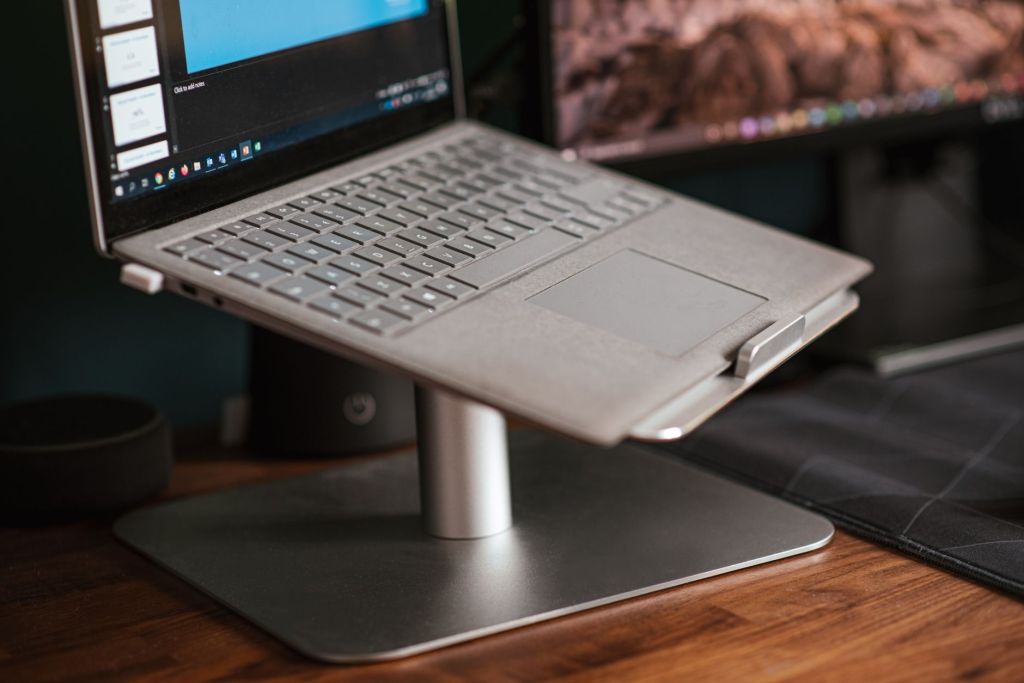
    A laptop stand can make studying and working more comfortable by raising the laptop screen to a better viewing height. It can also create more space on the desk and may improve airflow around the laptop.

    Students, office workers, trainers and people working from home may spend several hours each day using a laptop. Choosing a suitable stand can therefore improve comfort and make the workspace more organised.

    In this guide, we will look at the important features to consider when choosing a laptop stand in India.

    1. Why Use a Laptop Stand?

    When a laptop is placed directly on a desk, the screen may be lower than a comfortable viewing position. This can encourage users to bend their neck or lean forward while working.

    A laptop stand raises the device and can help position the screen closer to eye level. When combined with an external keyboard and mouse, it can create a more comfortable desktop-style setup.

    A stand can also provide additional airflow beneath the laptop, depending on its design.

    2. Adjustable Height and Viewing Angle

    An adjustable laptop stand allows users to change the height and angle of the laptop according to their seating position and desk.

    This can be useful when the same stand is used by different people or in different locations such as a home desk, office, classroom or training room.

    When choosing an adjustable stand, check whether the adjustment mechanism is stable and whether the laptop remains secure at the selected position.

    3. Laptop Size Compatibility

    Laptop stands are designed to support different screen sizes and weights.

    Before buying, check the manufacturer’s recommended laptop size range. A stand designed for smaller laptops may not provide enough stability for a larger or heavier device.

    Also check whether the support arms and base allow the laptop to sit securely without blocking important ports.

    4. Stability and Build Quality

    A laptop stand should remain stable while typing, adjusting the screen or connecting accessories.

    Metal stands are often strong and may help with heat dissipation, while good-quality plastic stands can be lighter and easier to carry.

    Look for non-slip pads on the base and laptop supports. These can help prevent the stand from sliding and protect the laptop from scratches.

    5. Ventilation and Cooling

    Laptops generate heat during use, especially when running demanding software, video calls or multiple applications.

    An open-frame laptop stand can improve airflow around the bottom of the laptop compared with placing it directly on a soft surface.

    However, a laptop stand should not be considered a replacement for proper laptop cooling or maintenance. Keep ventilation openings clean and avoid blocking the laptop’s air vents.

    6. Portable Laptop Stands

    Students and professionals who frequently travel may prefer a lightweight, foldable laptop stand.

    Portable stands can fit into a laptop bag and can be useful in libraries, classrooms, offices, hotels and shared workspaces.

    When choosing a portable stand, compare its folded size, weight and stability. Very lightweight designs may be convenient to carry but should still provide adequate support for the laptop.

    7. Laptop Stands for Home and Office Desks

    For a permanent desk setup, stability and comfort may be more important than portability.

    A larger metal stand can provide a stable platform and may create additional space underneath the laptop for a keyboard, notebook or other accessories.

    Users who regularly work with an external monitor may also use a laptop stand to position the laptop screen at a similar height to the monitor.

    8. Foldable vs Fixed Laptop Stands

    Foldable stands provide flexibility because they can usually be adjusted and stored easily. They are suitable for users who travel or frequently change work locations.

    Fixed stands generally provide a simpler and more stable setup but may offer fewer adjustment options.

    The right choice depends on whether portability, adjustability or maximum stability is more important to you.

    9. Using an External Keyboard and Mouse

    When a laptop is raised significantly above desk level, typing directly on its keyboard may become uncomfortable.

    For this reason, an external keyboard and mouse can be useful when using a laptop stand for long periods.

    This setup allows the laptop screen to remain elevated while the keyboard and mouse stay at a comfortable position on the desk.

    10. What to Check Before Buying

    Before purchasing a laptop stand, consider:

    • Laptop size and weight compatibility
    • Adjustable height and viewing angles
    • Stability
    • Build quality
    • Non-slip protection
    • Ventilation
    • Portability
    • Foldable design
    • Desk space
    • Warranty and customer support

    It is also useful to read recent customer reviews to understand how the stand performs during regular use.

    Which Laptop Stand Should You Choose?

    Students who frequently carry their laptops may prefer a lightweight and foldable stand.

    Professionals working from a fixed desk may prefer a stronger metal stand with greater stability and height adjustment.

    People working from home for long hours may benefit from an adjustable stand combined with an external keyboard and mouse.

    The best choice is the one that matches your laptop size, workspace and daily usage.

    Conclusion

    A laptop stand is a simple accessory that can make a study or work setup more comfortable and organised. Features such as height adjustment, stability, laptop compatibility, ventilation and portability should be considered before purchasing.

    Rather than choosing only by appearance or price, compare the stand with your laptop size and the way you normally work. A stable and practical stand can be useful for students, professionals and work-from-home users alike.

    Affiliate Disclosure: Some links in this article may be affiliate links. If you make a qualifying purchase through these links, Chrisolas Solutions may earn a commission at no additional cost to you. As an Amazon Associate, Chrisolas Solutions earns from qualifying purchases.

  • Best Wireless Mouse for Students and Office Work in India

    Best Wireless Mouse for Students and Office Work in India

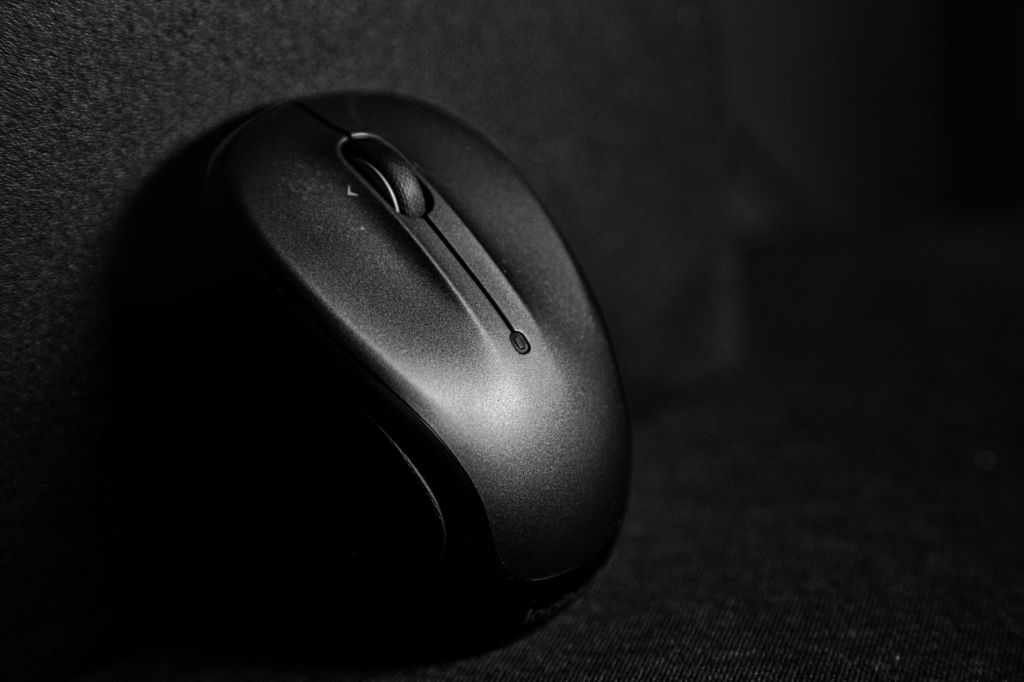
    A wireless mouse can make everyday laptop and desktop use more comfortable, convenient and productive. For students, it can help with assignments, online classes and browsing, while office users may benefit from better control during spreadsheets, presentations, documents and long work sessions.

    Choosing the right wireless mouse depends on factors such as comfort, battery life, connectivity, size, portability and budget. In this guide, we will look at the important features to consider and the types of wireless mouse that may suit students, professionals and work-from-home users in India.

    What to Look for in a Wireless Mouse

    Before buying a wireless mouse, it is useful to compare a few important features. A good mouse should feel comfortable in the hand, respond accurately and connect reliably to your laptop or desktop.

    Look at the mouse size, shape, battery life, wireless connection type, button quality and portability. Some models use a USB receiver, while others support Bluetooth and can connect without occupying a USB port. If you work for long hours, comfort and ergonomics become especially important.

    Students may prefer a compact and affordable model that is easy to carry, while office users may benefit from a larger mouse with better comfort, additional buttons or quieter clicks.

    Best Wireless Mouse for Students

    Students usually need a wireless mouse that is affordable, compact and easy to carry between home, college, library and classroom. A simple plug-and-play model with reliable tracking and good battery life is often enough for assignments, browsing, online classes and everyday study.

    When choosing a mouse for students, look for a lightweight design, comfortable shape, durable buttons and long battery life. A small USB receiver can be convenient, while Bluetooth support may be useful for laptops with limited USB ports.

    Students should also consider whether the mouse works smoothly on common surfaces and whether replacement batteries or charging are easy to manage.

    Best Wireless Mouse for Office Work

    Office users often spend several hours a day working with documents, spreadsheets, presentations and web applications, so comfort and reliability are especially important. A well-designed wireless mouse can reduce hand strain and make repetitive tasks easier to manage.

    When choosing a mouse for office work, consider an ergonomic shape, responsive tracking, quiet clicks and long battery life. Extra buttons for navigation can also be useful for users who regularly switch between applications or work with large documents. Check price and availability on Amazon

    For shared offices or quiet work environments, silent-click models can be a good choice because they reduce distracting button noise.

    Best Compact Wireless Mouse for Travel

    A compact wireless mouse is useful for students, professionals and travellers who frequently carry a laptop between different locations. Smaller models take up less space in a backpack or laptop bag and are convenient for temporary workspaces such as libraries, classrooms, cafés and meeting rooms.

    When choosing a travel mouse, look for a lightweight design, reliable wireless connection and good battery life. It should be small enough to carry easily but still comfortable enough for regular use.

    Models with a storage slot for the USB receiver can be particularly useful because they reduce the chance of losing the receiver while travelling.

    Best Ergonomic Wireless Mouse for Long Working Hours

    People who use a computer for many hours each day may benefit from an ergonomic wireless mouse designed to support a more natural hand position. A comfortable shape can help reduce fatigue during long periods of browsing, document work, spreadsheets and other repetitive tasks.

    When choosing an ergonomic mouse, consider the size of your hand, grip style, button placement and overall shape. Some users prefer a traditional curved design, while others may find a vertical-style mouse more comfortable.

    It is also useful to look for smooth tracking, reliable connectivity and easy-to-reach buttons so the mouse remains comfortable as well as practical for daily work.

    Best Bluetooth Wireless Mouse

    A Bluetooth wireless mouse can be a convenient choice for laptops and tablets because it does not require a USB receiver. This helps keep USB ports free for other accessories such as storage devices, keyboards or USB hubs.

    When choosing a Bluetooth mouse, check whether your device supports the required Bluetooth version, how quickly the mouse reconnects after sleep and whether it can pair with more than one device. Multi-device models can be useful for users who switch between a laptop, tablet and desktop computer.

    Battery life, comfort and connection stability are also important, especially if the mouse will be used regularly for study, office work or travel.

    Best Silent Wireless Mouse

    A silent wireless mouse can be useful in classrooms, libraries, shared offices and quiet workspaces where repeated clicking sounds may be distracting. These mice are designed to reduce button noise while still providing normal control for everyday computer tasks.

    When choosing a silent mouse, consider click feel, comfort, tracking accuracy, battery life and connectivity. Some models are compact and portable, while others are designed for longer office use with a larger, more ergonomic shape.

    A silent mouse can be especially helpful for students attending online classes, professionals working in shared spaces and users who prefer a quieter desktop setup.

    Best Budget Wireless Mouse

    A budget wireless mouse can be a practical choice for students, first-time buyers and users who need a simple device for everyday tasks. Many affordable models provide reliable basic performance for browsing, assignments, office documents and general laptop use.

    When choosing a budget mouse, focus on comfort, connection reliability, battery life and build quality rather than unnecessary features. A low-cost mouse can still be a good choice if it provides stable tracking and suits your hand size.

    It is also useful to compare warranty support and customer feedback before buying, especially when choosing among similarly priced models.

    Which Wireless Mouse Should You Choose?

    The best wireless mouse depends on how and where you plan to use it. Students may prefer a compact and affordable model, while office users may value comfort, quiet clicks and long battery life. Travellers may prefer a smaller mouse, and users who work for many hours may benefit from an ergonomic design.

    Before buying, compare the connection type, battery life, size, comfort, tracking quality and compatibility with your device. It is also helpful to check current customer reviews, warranty information and price before making a final decision.

    Conclusion

    A wireless mouse can make laptop and desktop use more comfortable, especially for students, office workers and people working from home. The right choice depends on your budget, hand comfort, connectivity needs and how many hours you use the mouse each day.

    Before purchasing, compare current prices, specifications, warranty details and recent customer reviews. A simple and reliable mouse is often a better choice than paying extra for features you may not need.

    Affiliate Disclosure: Some links in this article may be affiliate links. If you make a qualifying purchase through these links, Chrisolas Solutions may earn a commission at no additional cost to you. As an Amazon Associate, Chrisolas Solutions earns from qualifying purchases.

  • Best Laptop Accessories for Students and Professionals in India

    Best Laptop Accessories for Students and Professionals in India

    Choosing the right laptop accessories can make studying, working and attending online meetings much easier. Students and professionals often need simple tools that improve comfort, productivity, connectivity and device protection.

    In this guide, we will look at useful laptop accessories that can help with everyday study, office work, online classes, presentations and remote work.

    1. Laptop Stand

    A laptop stand raises the screen to a more comfortable viewing height and can help improve posture while studying or working for long periods. It can also improve airflow around the laptop, which may help with cooling.

    When choosing a laptop stand, look for a stable design, adjustable height, good ventilation and compatibility with your laptop size.

    2. Wireless Mouse

    A wireless mouse can make laptop use more comfortable and convenient, especially during long study or work sessions. It is also useful when working with spreadsheets, presentations, design tools or multiple browser tabs.

    When choosing a wireless mouse, consider comfort, battery life, connectivity, portability and whether the size suits your hand.

    3. Laptop Sleeve or Protective Bag

    A laptop sleeve or protective bag helps protect the laptop from scratches, dust and minor impacts while travelling between home, college, office or training locations.

    Choose a sleeve or bag that fits your laptop size properly and provides adequate padding. Extra compartments for the charger, mouse, documents and accessories can also be useful for daily travel.

    4. USB Hub

    A USB hub is useful when a laptop has only a few ports or when several accessories need to be connected at the same time. It can provide extra USB ports and, depending on the model, may also include HDMI, memory card, Ethernet or charging connections.

    When choosing a USB hub, check the number and type of ports, compatibility with your laptop, data-transfer speed and build quality.

    5. External Keyboard

    An external keyboard can make long typing sessions more comfortable, especially when a laptop is placed on a stand. It is useful for students preparing assignments, professionals working with documents and anyone who spends several hours typing each day.

    When choosing an external keyboard, consider key comfort, size, wireless or wired connectivity, battery life and whether you need additional features such as a numeric keypad or shortcut keys.

    6. Headphones or Headset

    A good pair of headphones or a headset can improve concentration during online classes, meetings, training sessions and remote work. A headset with a built-in microphone is especially useful for video calls and online communication.

    When choosing headphones or a headset, consider comfort, sound quality, microphone clarity, wired or wireless connectivity and battery life if you choose a wireless model.

    7. Webcam

    A webcam can improve video quality during online classes, interviews, meetings, training sessions and remote work. It is especially useful when the built-in laptop camera is not clear enough or when you want a better camera angle.

    When choosing a webcam, consider video resolution, microphone quality, low-light performance, mounting options and compatibility with your laptop and video conferencing applications.

    8. Power Bank or Laptop-Compatible Portable Charger

    A power bank or portable charger can be useful when you need to work, study or attend online sessions away from a power socket. Some high-capacity models can also support laptops through USB-C Power Delivery, provided the laptop and charger are compatible.

    When choosing one, check the battery capacity, output wattage, USB-C Power Delivery support, number of ports, safety certifications and compatibility with your laptop or mobile devices.

    9. External Storage Device

    An external storage device is useful for backing up assignments, work files, photos, videos and important documents. It can also help when transferring large files between devices or when the laptop’s internal storage is limited.

    When choosing external storage, consider whether you need an external hard drive, SSD or USB flash drive. Check storage capacity, transfer speed, portability, durability and compatibility with your laptop.

    10. Laptop Cleaning Kit

    A laptop cleaning kit helps keep the screen, keyboard and outer surfaces clean and free from dust. Regular cleaning can improve comfort while using the laptop and help maintain the device’s appearance.

    When choosing a cleaning kit, look for a soft microfiber cloth, screen-safe cleaning solution, keyboard brush and other tools designed specifically for electronic devices.

    Conclusion

    The right laptop accessories can improve comfort, productivity, portability and everyday convenience. Students may prioritise affordable and portable accessories, while professionals may prefer products that improve ergonomics, connectivity and work efficiency.

    Before buying any accessory, check compatibility with your laptop, current product specifications, warranty information, customer reviews and price.

    As Chrisolas Solutions begins publishing product recommendations, we will highlight useful options for different budgets and requirements.

    Affiliate Disclosure: Some links in this article may be affiliate links. If you make a qualifying purchase through these links, Chrisolas Solutions may earn a commission at no additional cost to you. As an Amazon Associate, Chrisolas Solutions earns from qualifying purchases.