
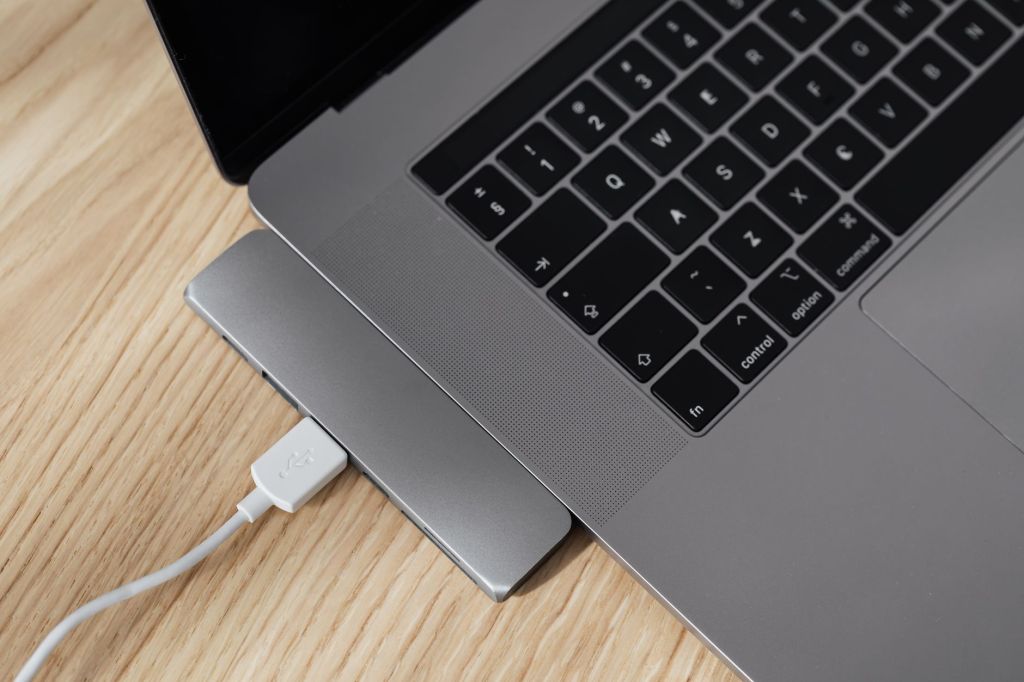
Modern laptops often come with only a few ports, which can become inconvenient when you need to connect a mouse, keyboard, external storage device, monitor, memory card or other accessories at the same time.
A USB hub can solve this problem by adding extra connectivity through a single laptop port. However, different hubs support different combinations of USB, HDMI, Ethernet, memory card and charging connections.
In this guide, we will look at the important features to consider when choosing a USB hub for students, professionals and work-from-home users in India.
1. Number and Type of Ports
The first thing to check in a USB hub is the number and type of ports it provides. Some hubs offer only additional USB-A ports, while others may include USB-C, HDMI, Ethernet, SD card and microSD card connections.
Students may only need a few extra USB ports for a mouse, keyboard or storage device. Professionals may prefer a multi-port hub that can connect a monitor, network cable, memory card and other accessories at the same time.
Before buying, check which ports your laptop already has and choose a hub that adds the connections you actually need.
2. USB-A vs USB-C Compatibility
Before choosing a USB hub, check whether your laptop uses a USB-A port, a USB-C port or both. Many newer laptops rely more heavily on USB-C, while older models may still use traditional USB-A ports.
A USB-C hub can be especially useful because a single connection may support data transfer, video output and charging, depending on the laptop and hub. However, not every USB-C port supports all of these features, so compatibility should be checked carefully.
Choose a hub that matches your laptop’s available ports and the devices you plan to connect.
3. Data Transfer Speed
USB hubs can support different data transfer speeds depending on the USB standard they use. This becomes important when transferring large files, using external SSDs or connecting other high-speed storage devices.
For basic accessories such as a keyboard, mouse or printer, very high transfer speeds may not be necessary. But for external drives, video files and regular backups, a faster USB 3.x or USB-C hub can save time.
Before buying, check the advertised data transfer speed of the hub and make sure your laptop port also supports that speed.
4. HDMI and Display Support
Some USB hubs include an HDMI port that allows you to connect a laptop to an external monitor, television or projector. This can be useful for presentations, online teaching, office work and creating a larger desktop workspace.
Before buying, check the maximum supported resolution and refresh rate. A hub may support Full HD, 4K or higher output, but your laptop’s USB-C port must also support video output for HDMI through the hub to work.
If you plan to use the hub for presentations or an external monitor, confirm both the laptop and hub specifications before purchasing.
5. Ethernet Port
Some USB hubs include an Ethernet port, which can be useful when you need a more stable wired internet connection. This is especially helpful for online meetings, remote work, large file transfers and situations where Wi-Fi is weak or unreliable.
Before choosing a hub with Ethernet, check the supported network speed, such as 100 Mbps or 1 Gbps, and confirm that your laptop and internet connection can take advantage of that speed.
For professionals who frequently work from offices, hotels or shared workspaces, an Ethernet-enabled hub can be a practical addition.
6. SD and microSD Card Readers
Some USB hubs include built-in SD and microSD card slots, which can be useful for transferring photos, videos and other files from cameras, smartphones and memory cards.
Students, content creators and professionals who regularly work with media files may find this especially convenient because it reduces the need to carry a separate card reader.
Before buying, check which card formats are supported and whether the hub allows reliable and reasonably fast file transfers.
Recommended USB-C Hub – UGREEN Revodok 7-in-1 with Ethernet
The UGREEN Revodok 7-in-1 USB-C Hub is a versatile multiport adapter designed for students, office professionals, content creators and laptop users who require expanded connectivity. Its compact aluminium construction makes it suitable for home offices, workstations and travel.
This hub combines a 4K@60Hz HDMI output, an Ethernet port, USB-A data connectivity, USB-C Power Delivery passthrough, and SD and microSD (TF) card readers. These connections make it useful for attaching an external display, accessing files from memory cards, connecting USB accessories and using a wired network connection through a single compatible USB-C port.
The Ethernet connection is particularly useful in workplaces where stable wired networking is preferred, while the memory card readers offer convenience for photographers and users transferring files from cameras and other devices.
Before purchasing, users should verify their laptop’s USB-C compatibility, including support for external video output and Power Delivery. Actual display resolution, charging performance and data transfer speeds depend on the connected devices and their capabilities.
View UGREEN Revodok 7-in-1 USB-C Hub on Amazon
7. Power Delivery and Charging Support
Some USB-C hubs support Power Delivery, which allows the laptop to receive power through the hub while other accessories are connected at the same time. This can be useful when a laptop has only one or two USB-C ports.
Before buying, check the maximum charging wattage supported by the hub and compare it with your laptop charger requirements. A hub that supports lower wattage than your laptop needs may charge slowly or may not provide enough power during heavy use.
It is also important to confirm that both the laptop and the USB-C port support Power Delivery before relying on this feature.
Recommended USB-C Hub – UGREEN Revodok 5-in-1
The UGREEN Revodok 5-in-1 USB-C Hub is a versatile connectivity solution for students, professionals and laptop users who need more than basic USB ports. Its compact aluminium design makes it suitable for study desks, office workstations and travel.
This multiport adapter features three USB-A data ports, a 4K HDMI output and a USB-C Power Delivery input rated for up to 100W. It allows users to connect compatible USB accessories, such as keyboards, mice and external storage devices, while providing an HDMI connection for an external monitor or projector.
The Power Delivery passthrough feature can help charge a compatible laptop while the hub is connected to a suitable USB-C charger. However, actual charging power may be lower than 100W, and HDMI output requires a laptop with compatible USB-C video support.
View UGREEN Revodok 5-in-1 USB-C Hub on Amazon
8. Build Quality and Portability
A USB hub is often carried together with a laptop, so build quality and portability are important. A compact hub with a strong casing and well-fitted ports is easier to use during travel, college, office work or remote work.
Metal-bodied hubs may provide better durability and heat handling, while lightweight plastic models can be easier to carry. Cable length also matters because a very short cable may be inconvenient depending on where the laptop ports are located.
Choose a hub that feels sturdy, is easy to carry and has enough space between ports for the accessories you plan to connect.
9. Safety and Compatibility
A USB hub should work reliably without causing connection problems, overheating or power issues. Poor-quality hubs may disconnect devices unexpectedly or fail to support certain accessories properly.
Before buying, check compatibility with your laptop’s operating system and ports. If the hub supports charging, HDMI output or Ethernet, make sure those functions are supported by your laptop as well.
It is also wise to choose products from reputable brands and review warranty information, safety certifications and recent customer feedback before purchasing.
10. Choosing the Right USB Hub for Your Needs
The best USB hub depends on how you use your laptop. Students may only need a few extra USB ports and a card reader, while office users may benefit from HDMI, Ethernet and charging support. Professionals who use several accessories at once may prefer a multi-port USB-C hub with faster data transfer.
Before buying, list the devices you regularly connect and choose a hub that provides the required ports without paying for features you may never use. Also check compatibility, transfer speed, charging support, warranty information and recent customer reviews.
View UGREEN USB 3.0 4-Port Hub on Amazon
Conclusion
A USB hub can make a laptop more useful by adding the ports needed for accessories, displays, storage devices, memory cards and wired networking. The best choice depends on your laptop’s ports and the devices you regularly connect.
Before purchasing, compare port types, transfer speeds, charging support, display capabilities, build quality, compatibility and warranty information. Choosing a hub based on actual needs is usually better than paying extra for features you may not use.
Affiliate Disclosure: Some links in this article may be affiliate links. If you make a qualifying purchase through these links, Chrisolas Solutions may earn a commission at no additional cost to you. As an Amazon Associate, Chrisolas Solutions earns from qualifying purchases.


Leave a Reply